

Table of Contents
Space Cloud allows you to validate the schema of the event payload before queuing it.
Space Cloud allows you to define the schema of event payload easily via GraphQL SDL.
To specify the schema of event payload for a particular event type, go the Schema tab of the Eventing section in Mission Control. Click on the add button to open the following form:
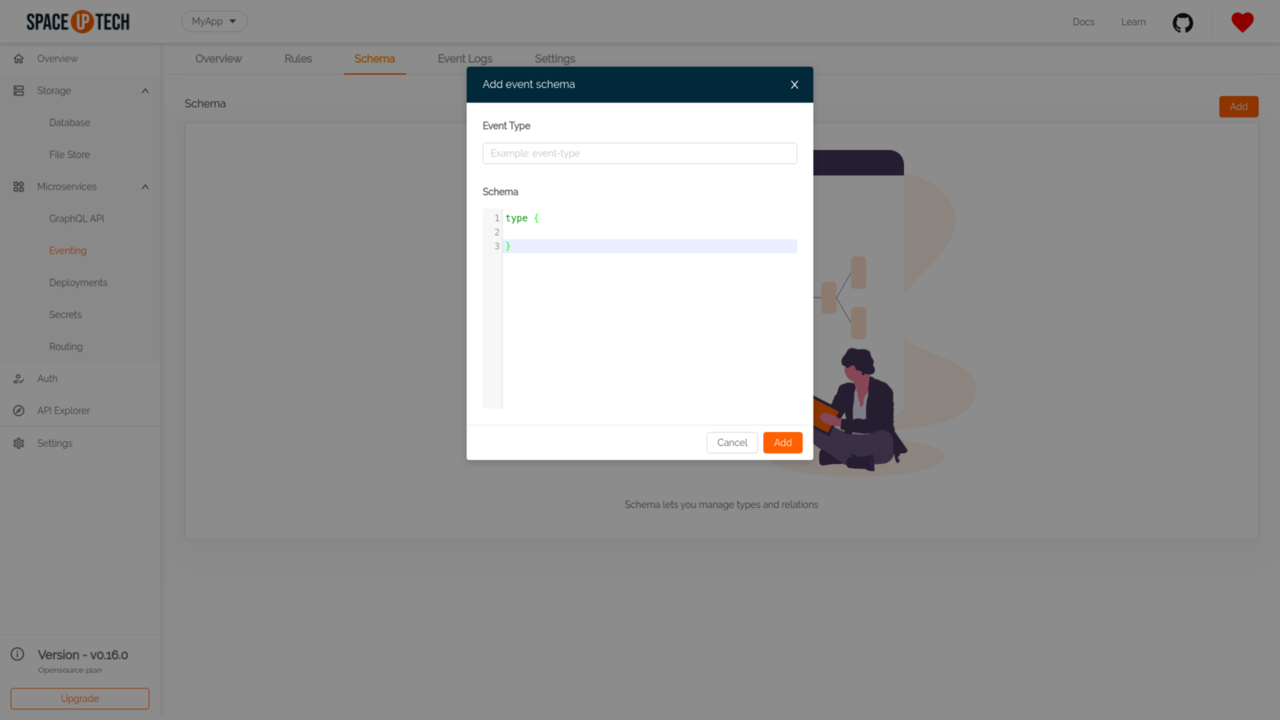
Fill the Event Type for which you want to define the schema and provide the Schema.
An example schema looks like this:
type signup {
  email: String!
  pass: String!
  age: Integer
}
Here signup is the event type for which the schema is defined. The exclamation mark after String for email and name fields is used to denote that those fields are required in the event payload.
Space Cloud allows you to define literal values, objects and arrays in the schema for the event payload.
StringIntegerFloatBooleanYou can also specify fields of type array in your schema.
Example: Specify tags in your event payload as an array of string:
type signup {
  email: String!
  pass: String!
  tags: [String]
  age: Integer
}You can specify nested/object types in your schema as well.
Example: Specify type of address (object) field:
type signup {
  email: String!
  pass: String!
  address: address!
}
type address {
  pincode: Integer!
  city: String
}Have a technical question?


Improve the docs!